
How To Recover From A Google Penalty – Finally Explained
The other day Google really screwed the world of SEO when they launched their moronic Penguin Update.
Since that day, people have been really confused. They’ve been affected by the update and they honestly don’t know what to do. Many people are dropping SEO altogether. They’ve had enough of “the battle” and are moving in other directions.
Me personally, I think part of what’s happened is great. It means less competition for me. The last update sort of reset SEO. A lot of the people who were affected have given up. The competition is weaker than it’s been in a very long time.
The thing we need to remember is that something’s working. There are still 10 spots on each page of Google and there are still many websites dominating. You just have to find out what they’re doing and copy them.
After months of testing different strategies, I came up with a simple way of recovering from any Google Penalty. I personally haven’t found anyone doing this so I guess you call it my secret strategy.
I’ve done this on around 7 sites and so far it’s worked on every one of them. Sooner or later this will be common practice, I’m sure. If you’re going to use this strategy first back up your site and be ready to lose any domain branding you’ve done over the years. You will have to scrap your domain, but ultimately you’re going to be able to quickly re-gain your old rankings.
Here it goes:
1. Buy A New Domain
Yes, in order for this to work you’re going to have to scrap your domain. That means tossing it in the bin and buying a new one. The reason is simple, you’re going to transfer your old domain to a new one. If you’ve gotten a bad penalty and have been struggling to rank for a while, the best possible strategy is to scrap your domain and get a new one.
The trick is to get a user-friendly domain. In 2011 thousands of people made their livings from EMD’s. Exact match domains. Domains that target the keywords in their domain. For example, cheapwoodfloorboards.com is the EMD of “cheap wood floorboards”.
For some reason Google ranks you extremely high for the keyword/s in your domain. After the last few panda updates, EMD’s have been destroyed. They’ve been badly penalized. Why? Well because Google knows they’re built to make money and 90% of the time they’re full of crappy content.
So if you have an EMD that’s been penalized this is going to work even better for you. You need to find a user-friendly domain that’s memorable and it must be a .com.
2. Registration And Hosting
It’s essential that you privately register your domain hiding your details from whois. With all domain registrars, you can choose to pay around $10/year for private domain registration. Without privately registering a domain, the whole world knows you own it; that includes the search engines.
Once you’ve privately registered your new user-friendly domain, you need to host it on its own dedicated IP address. Not too long ago, a friend of mine had his network of 600 sites de-indexed. How, why, what??
Yep, he had them all hosted on the same IP address and most of them were awful sites. So once Google decided they didn’t like a few of his sites, they de-indexed every site he owned. That’s why it’s vital to use private domain registration and SEO hosting.
You can get 5 dedicated IP addresses with SEO Hosting or any other SEO hosting company. Just sign up, host your new privately registered domain on its own IP away from your other sites, and move on to the next step.
3. Setup Exact URL Structure As Old Site
Once you’ve hosted your new domain you need to install WordPress or whatever else you want to use. Next, you need to set up the exact site architecture as the old site. That means creating all of the posts/pages/tags and categories on the new domain that you have on the “old” one.
Doing this is a huge pain in the ass and it takes a long time if you’ve got a big site. All you need to do is go into the admin of your old site, first head over to the categories and copy those onto your new domain. Make sure your categories have the same URLs i.e. olddomain.com/category-one/ ===> newdomain.com/category-one/
What we’re going to do is forward the old domain onto the new domain. This will essentially redirect all the old domain URLs to their respective pages on the new domain. So if your URLs aren’t exactly the same on the new domain; you’re going to be getting 404 errors. (i.e. olddomain.com/amazing-post/ ===> newdomain.com/amazing-posts/ This would cause a 404 error and the strategy would fail)
Once you’ve set up the categories with the same URL structures on the new domain, set up the pages. They need to be exactly the same. Literally copy and paste all of the content, titles, descriptions, and keywords from the old domain to the new. Again, make sure the URLs are identical to those of the old domains.
Straight after the pages you need to do the posts. Just copy all of the old posts onto the new domain and publish them in order from old to new. Copy and paste the titles, descriptions, and keywords into the new posts on the new domain. Also, make sure you copy all of the post tags too. You need every URL of the old domain on your new one.
Also; set up the basics. Install the same plugins, and the same theme, configure everything and make it all look nice. You get the picture, make everything the same. The only difference should be the domain.
4. Spring Cleaning
If you’re trying to recover a little niche site or exact match domain that got penalized for spam; use a new theme. Make it look different. The key is to make the new domain look as clean as possible.
Start to de-optimize the site and all of its content. Use fewer keywords throughout your posts and fewer header tags. The trick is to build the new domain for people and not the search engines. If your content sucks then make it better.
There is literally no point in doing this if you’re trying to force a pile of crap content to the top of the search engines. That’s just not going to work in the long run.
5. 301 Wildcard Redirect
Now is the fun part, you get to redirect all of the pages on your old domain to their respective pages on the new domain. You can do this by logging into your cPanel (usually located at yourdomain.com/cpanel), going to the “redirects” page and setting up a new wildcard redirect like this:
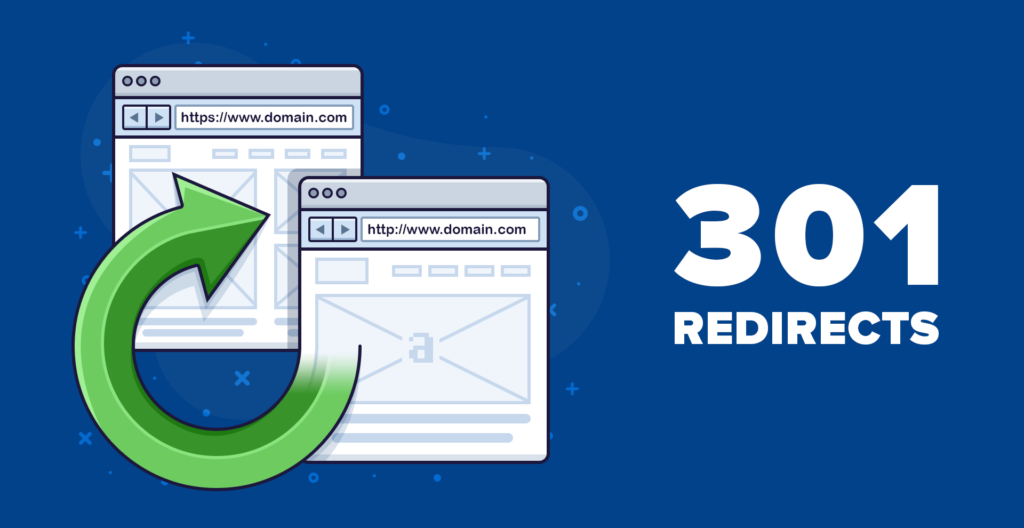
You need to keep the type as “Permanent (301)”. In the box below you need to enter the domain you want to redirect. Obviously, this is where you enter the domain that’s been penalized. Click the drop-down box and you’ll find it there. You must be in the cPanel of your old domain or home account.
In the “redirects to” field just enter the exact URL of your new domain. Below that make sure you select Wild Card Redirect and then click the add button. What this will do is permanently redirect all of the pages on your old domain to their respective pages on the new one.
In terms of SEO, this passes almost all of the link juice from the old domain to the new. It’s supposed to transfer between 80 and 95% of the link juice. It will allow you to almost instantly rank for the keywords you were previously ranking for with the brand new domain. The link juice is virtually all the “Page Rank” your old domain has acquired from its backlinks.
So all the backlinks you built to the old domain get transferred through to the new domain (in effect). Unfortunately, some of the “juice” gets lost in the transfer. That just means you need to build some fresh links to your new domain to re-coup its old rankings.
6. Promote New Domain
If you’ve made it this far, your new domain should be live and the old domain should be completely redirected to the new one. After the wildcard redirect, it may take a few days up to a few weeks for Google to notice. That means you probably won’t see any instant rankings (but it’s totally possible).
With that being said, things can happen pretty quickly. To successfully launch your new domain, you should write and distribute a couple of press releases. After that, you should bookmark all of your site’s new pages. Straight after that you can start with your new SEO strategy.
Now funnily enough; people are suggesting that you don’t do any SEO. Honestly, I think that’s nuts. The reason being is that the people who did the least link-building seemed to come out on top after the Penguin update. Really that’s just because most people built links the wrong way.
So after this update, I advise everyone to build “white hat” links. I mean:
- Social Bookmarking
- Manual Article Directory Submissions
- Manual Web2.0’s
- Guest Blogging
- Social Signals
- Content Syndication
- Homepage Backlinks
Really, those are the only seven link-building techniques I truly believe in at this point in time. I believe everyone should stop doing spun submissions. i.e. spinning articles and submitting them to thousands of websites. Google is quickly catching on to spun article submissions.
Even if your articles are spun really well; it’s a risk. So with your new domain; it’s best to build a few hundred base white hat links. This means using the basic 1 article = 1 backlink principle. And that means in order to build 1 backlink, you need to write/outsource 1 article.
Manual web2.0 and article directory links on high PR sites work very well too. Social bookmarks and social signals both work as they always have. Content syndication also works as does guest blogging. In fact, guest blogging is the ultimate post-penguin strategy, but it’s not exactly cost-effective.
Lastly homepage backlinks. Homepage backlinks have been around since the very beginning and while they have taken a knocking, they seem to be very effective today. Homepage backlinks are just backlinks from homepages. But not just any homepages. Homepages that are usually old and high Page Rank.
All in all, it’s very possible to recover from Google Penguin or whatever other update that’s struck your site. You could attempt to revive your domain by continually building high-quality backlinks. But the chances of completely regaining your old rankings are slim, at least right now.
So if you’d like to quickly re-gain your search engine rankings and even dominate your competition; follow this strategy. Get a new domain, set up the same URL structure, spring clean, wildcard redirect and promote it with high-quality white hat links.
In Prosperity,
David Wood
P.S. Leave me your thoughts, comments and questions below in the comments. 
Comments
Jessica Green, May 2, 2012, 04:45
David, this article is incredibly insightful. Your strategies for recovering from a Google penalty are both practical and actionable. I especially appreciate the detailed approach to domain registration and setup. Thank you for sharing such valuable information!
Matthew Johnson, May 2, 2012, 05:30
Your post came at the perfect time for me. I’ve been struggling with a penalized domain, and your detailed steps on setting up a new domain and redirecting are exactly what I needed. I’m looking forward to implementing these strategies and seeing the results. Keep up the great work!
Olivia Brown, May 2, 2012, 06:15
As someone new to SEO, this guide is a lifesaver. The way you broke down the process into manageable steps makes it so much easier to follow. I now feel confident enough to tackle my SEO challenges. I can’t wait for the next part where you cover more advanced techniques. Thanks, David!
James Lee, May 2, 2012, 07:00
Fantastic article, David! Your advice on using new domains and white hat SEO techniques is spot on. It’s a more sustainable approach that ensures long-term success. I’ve been using some of these techniques already, but your insights have given me new ideas to improve my strategy. Thank you!
Sophia Martinez, May 2, 2012, 07:45
Thank you for this comprehensive guide on recovering from a Google penalty. I’ve always found it challenging to bounce back quickly without risking further penalties. Your tips on domain registration and SEO hosting are incredibly useful. I’m excited to put these strategies into action. Great work!
Alexander White, May 2, 2012, 08:30
This is one of the best articles I’ve read on recovering from Google penalties. The emphasis on setting up a new domain and using high-quality white hat links is a game-changer. It’s a strategy that not only improves rankings but also protects against future penalties. I’m eager to implement these techniques and see the impact. Thanks, David!
Emily Wilson, May 2, 2012, 09:15
David, your post has given me a fresh perspective on recovering from Google penalties. The practical tips and step-by-step approach make it easy to understand and apply. I’m especially interested in your upcoming posts on more advanced strategies. Keep sharing your knowledge; it’s greatly appreciated!
Michael Anderson, May 2, 2012, 10:00
Excellent guide, David! Your focus on maintaining control over link profiles to avoid penalties is very insightful. It’s an approach that many overlook in favor of quick results. I’m confident that implementing your strategies will lead to sustainable success for my SEO campaigns. Thank you for the valuable advice!